This article may contain affiliate links. We may earn a small commission at no extra cost to you if you make a purchase through these links.
Claude Loop: Anthropic's New Rival to Meta Muse and OpenAI Dots
Claude Loop is Anthropic's unannounced 24/7 agent. We tested it: what it does, what it won't do, and how it stacks up to Dots and Muse.
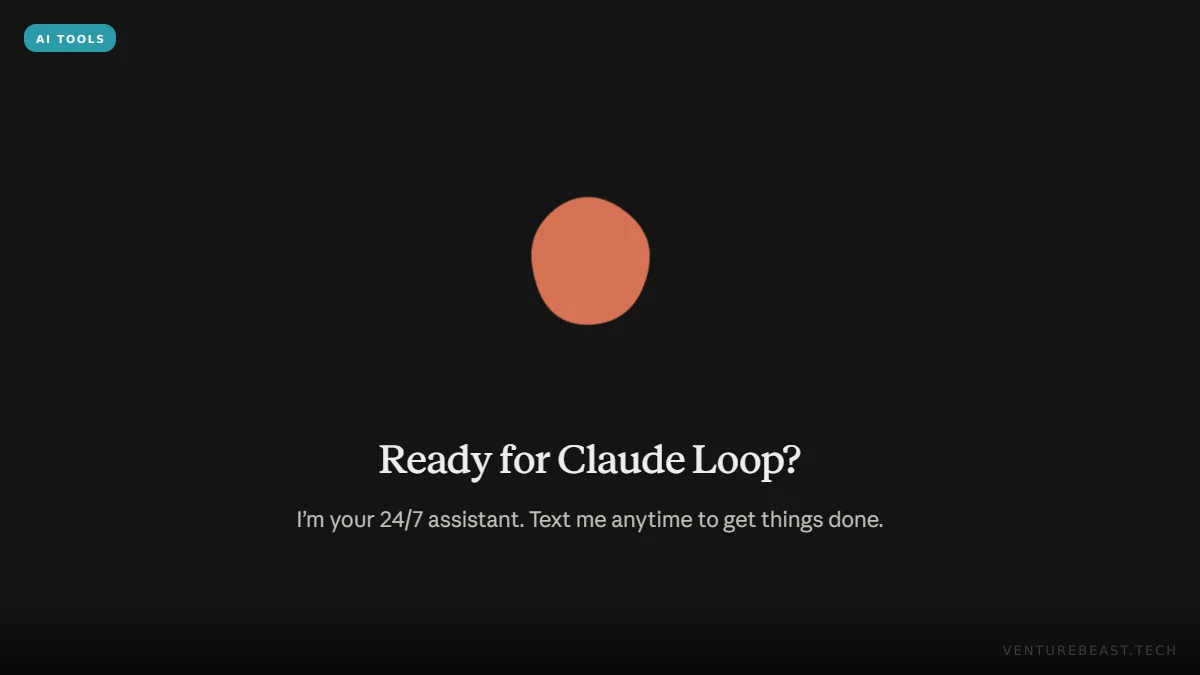
Claude Loop is Anthropic's always-on personal agent, now in preview: a version of Claude that keeps track of your work, watches the apps you connect, and messages you first when something needs you. It is showing up in the Claude desktop app with the line "I'm your 24/7 assistant. Text me anytime to get things done," and as of October 17, 2026, Anthropic has not formally announced it.
Update and corrections, October 20, 2026: Claude Loop has been renamed Claude Duet and now has iPhone and Android test apps. See our Claude Duet first look. We've also corrected two points in this article. First, it originally said Claude Loop couldn't pay for anything. In fact it can pay with your approval for each charge, though it still won't move money between accounts or place trades. Second, the empty "Channels" list turned out to be per-project topic threads, not a sign that SMS or WhatsApp was coming.
We spent time with the preview on a Claude Max account. Our read: Claude Loop is Anthropic's answer to OpenAI Dots and Meta Muse, built the Anthropic way. It has no avatar, it is pitched at work rather than errands, and it draws a harder line than Muse on moving money. The "text me" promise is ahead of the plumbing, though. For now you message it inside the Claude app, not from your phone's texting app.
What is Claude Loop?
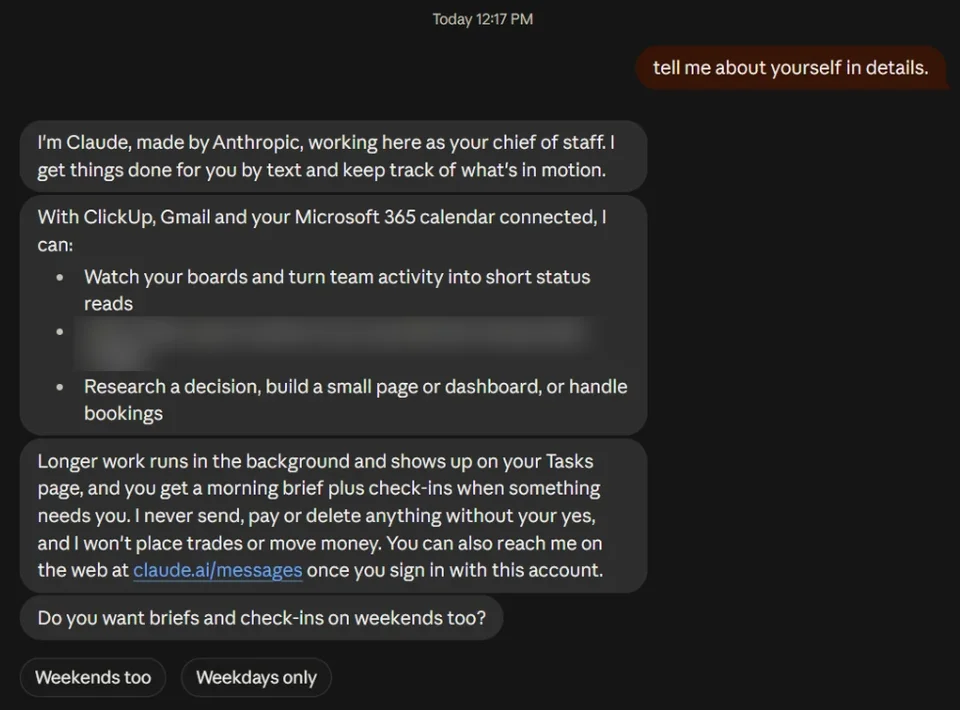
When we opened it, Claude Loop introduced itself as Claude, made by Anthropic, "working here as your chief of staff." It said it gets things done "by text" and keeps track of "what's in motion." That framing matters. Where the regular Claude app waits for a question and starts each chat fresh, Claude Loop is one ongoing conversation that remembers your goals and open items, and it starts conversations on its own.
Three things set it apart from the Claude you already use:
- It reaches out first. It sends a morning brief, plus a check-in whenever it finds something that needs you.
- It watches your connected tools. On our account it used the connectors (Claude's links to outside services) already set up there: ClickUp, Gmail and a Microsoft 365 calendar.
- It works in the background. Longer jobs run out of sight and, according to Claude Loop, appear on a Tasks page when they're done.
This is the named agent our September 30 roundup of the personal AI agent race said Anthropic didn't have. At that point, Anthropic's agent features lived inside the regular Claude app after the Cowork merge. Claude Loop gives them a name, a separate home and a personality built around reporting to you.
What we saw in our first session
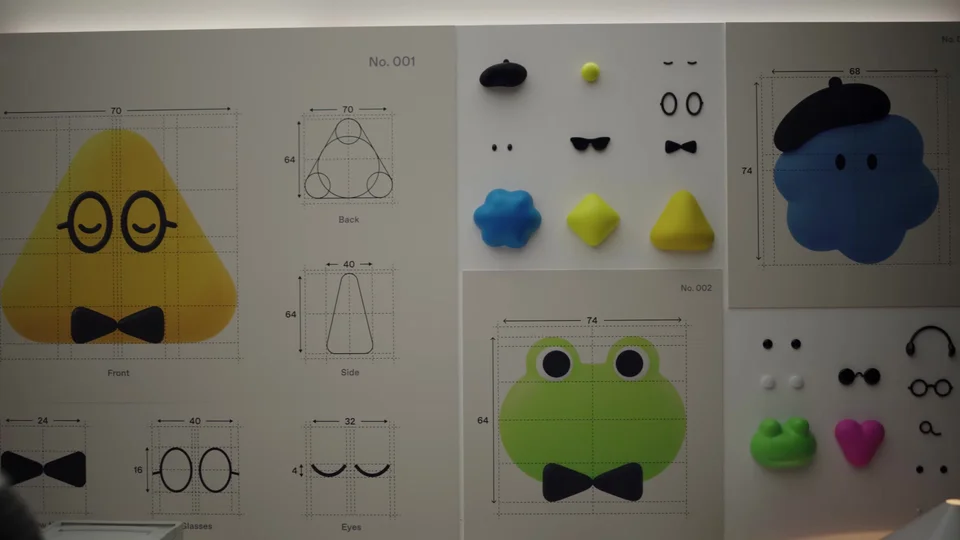
Claude Loop opens on a dark screen with a plain orange shape and the headline "Ready for Claude Loop?" Its icon in the sidebar is an orange circle with a white, hand-drawn looping line across it, the "loop" in the name. There's no character or animated face, and no name to give it. Compare that with OpenAI's Dots, which each appear as a small animated avatar you name yourself.
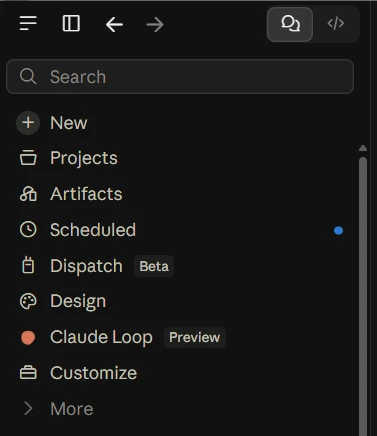
In the Claude app's main menu, Claude Loop has its own entry with a Preview label, between Design and Customize and a few lines below Scheduled and Dispatch, which is labelled Beta. The workspace sits at claude.ai/messages, and the browser tab reads "Claude Loop." The layout looks like a messaging app, not a chat window. Claude's replies arrive as short message bubbles. There's a single "Claude" thread in the sidebar, with an empty Channels section and a button to add one below it. Replies sometimes end with tap-to-answer buttons. After its self-introduction, for example, it asked whether we wanted briefs on weekends too and offered "Weekends too" and "Weekdays only."
The proactive part already worked. Without being asked, Claude Loop's update covered a pending project where several invited contractors hadn't replied. It offered to draft reminder messages for our approval. It also pointed out, unprompted, that a nightly database backup on a different project had failed ten nights in a row. That second item is the strongest argument for this kind of agent: nobody had asked it to check backups, and a failing backup is exactly what goes unnoticed until you need a restore.
Can you really text Claude Loop?
Not yet, at least on our account. When we asked which channels it supports, Claude Loop said we could reach it in the Claude app or on the web at claude.ai/messages. It added: "I don't have a phone number, so SMS, iMessage, WhatsApp and Slack aren't set up for you."
So "Text me anytime" currently means texting in the messaging-app sense: short messages to and from Claude, inside Claude's own app. (The empty Channels section we saw turned out to be for per-project topic threads, not phone channels; see the update above.) That puts Claude Loop level with the field, not ahead. When OpenAI launched Dots on September 29, text messaging was listed as "coming soon," and Meta's Muse is the one already living inside WhatsApp.
What Claude Loop told us about itself
We asked Claude Loop how it works. Treat the answers below as its own description, not Anthropic's documentation. An AI describing itself can be wrong about details, and Anthropic hasn't published a product page we can check them against.
| Question | Claude Loop's answer (October 17, 2026) |
|---|---|
| Does it keep working with my computer off? | Yes. It says it runs in Anthropic's cloud, not on your computer. |
| When does it message first? | For the morning brief, and when a check-in finds something that needs you. The brief arrives when your quiet hours end, so changing your quiet hours moves it. |
| What does it remember? | Notes on your goals, preferences and open items. It says you can ask what it remembers at any time, and it will change or delete any of it. |
| Which plans include it? | It said it couldn't find an official page and wouldn't guess. On our account, its work counts against the Max plan's usage. It couldn't confirm a fixed limit on background tasks. |
| Which model runs it? | Claude Opus 5.5. |
We like that it said "I won't guess" on plans. That is the behaviour you want from an agent that will be summarising your inbox.
What won't Claude Loop do?
The guardrails are the clearest part of the product, and Claude Loop repeated them unprompted. In its words, it will "never send, pay or delete anything without your yes," and it "won't place trades or move money." When we asked about limits, it added that it never handles passwords or card numbers, can't see apps you haven't connected, and that some websites block its browser.
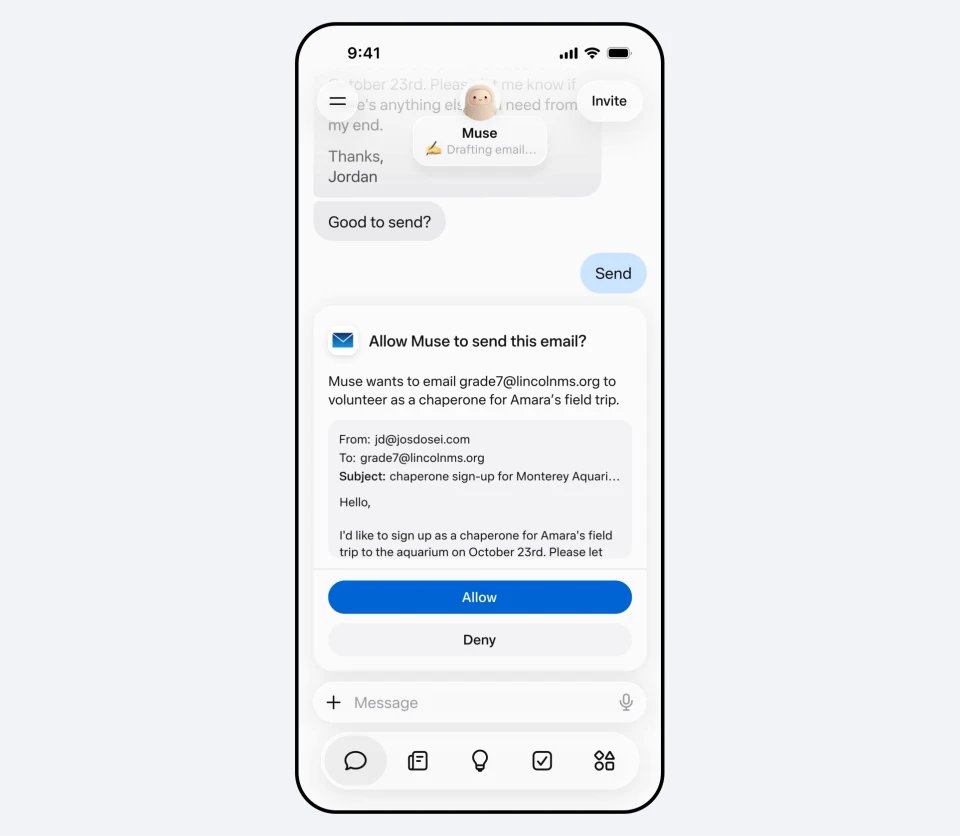
That is stricter than Meta's design. As we noted in our Meta Muse review, Muse can check out purchases once you approve them, and a separate "Sentinel" agent reviews what it sends. Claude Loop can also pay for things, but only with your approval each time. The difference is a hard line Muse doesn't advertise: no transfers between accounts and no trades, even if you say yes. For a work-focused "chief of staff," that's the right call. An agent that drafts, flags and asks before every charge is easy to trust. An agent that can move money between accounts is a much bigger ask.
Claude Loop vs OpenAI Dots, Meta Muse and Gemini Spark
The four big personal agents now share the same basic design: a cloud computer, standing goals, your accounts, and approval before anything risky. The table compares them on what's visible as of October 17, 2026. The Dots, Muse and Spark details come from our September roundup, and the Claude Loop column comes from our own session.
| Claude Loop | OpenAI Dots | Meta Muse | Google Gemini Spark | |
|---|---|---|---|---|
| Status | Preview in the Claude app; not announced | Launched September 29, 2026 | Launched September 8, 2026 | Announced May 19, 2026 (beta) |
| Where you reach it | Claude app and claude.ai/messages | ChatGPT, Codex, Slack, Teams; texting "coming soon" | Web, iOS, Android, WhatsApp | Gemini app; can be CC'd on email or added to a text chain |
| Money | Pays only with your approval; never transfers money or trades | Not covered in our roundup | Checks out purchases with your approval | Asks before spending money |
| Plans | Unconfirmed; ran on Claude Max in our test | ChatGPT Pro and Business Premium | Free tier, plus $20 and $100 a month | Google AI Pro (US) and AI Ultra |
| Aimed at | Work: projects, inbox, calendar | Power users and teams | Consumers | Consumers in Google's apps |
The pattern holds from our September analysis. The fight is less about which model is smartest and more about which agent you'll trust with your accounts. Claude Loop's bet is that a sober, work-first assistant with strict money rules will earn that trust faster than a friendly avatar.
Is Claude Loop the same as /loop in Claude Code?
No, and the names will cause confusion. Most search results for "Claude loop" today are about /loop, a developer command in Claude Code, Anthropic's coding tool. It re-runs a prompt on a timer while a coding session stays open, according to Anthropic's scheduled tasks documentation. Claude Loop is a different product: an assistant for your everyday work that keeps going after you close the app. If you build software, our Claude Code review covers the developer side.
Should you use Claude Loop?
If it's on your account and your work runs through a project board, an inbox and a calendar, yes. Start small:
- Connect only what it needs. It can only see the apps you connect, so start with one or two.
- Set your quiet hours first. They decide when the morning brief arrives and when it can reach you.
- Ask what it remembers. Do this after the first week, and delete anything you don't want it keeping.
- Treat drafts as drafts. It asks before sending, but read every message it prepares as if you wrote it yourself, because it goes out under your name.
If you mostly want errands done, such as bookings, shopping or forms, Meta Muse or Gemini Spark are built for that, and Claude Loop asks before every charge and won't move money between accounts. If you live in ChatGPT, compare it with what OpenAI includes on its plans in our breakdown of ChatGPT Work and Codex.
Three things to watch: whether real SMS or WhatsApp texting arrives to make "text me anytime" literal, which plans Anthropic puts it on, and whether its strict money rules survive contact with competitors that already shop for you. We'll update this first look as the preview changes and when Anthropic announces the details.
FAQ
What is Claude Loop?
Claude Loop is a persistent version of Claude by Anthropic that works as a "chief of staff." It keeps notes on your goals and open work, watches connected apps such as Gmail, calendars and project boards, sends a morning brief, and messages you when something needs attention. As of October 17, 2026, it is in preview in the Claude app and has not been officially announced.
How do I open Claude Loop?
On accounts where it's available, Claude Loop appears in the Claude desktop app, and it told us it can also be reached on the web at claude.ai/messages. Anthropic hasn't published which plans include it. Our test ran on a Claude Max account, and its work counted against that plan's usage.
Can I text Claude Loop from my phone's messaging app?
Not on our account yet. Despite the "Text me anytime" welcome screen, Claude Loop said it had no phone number, so SMS, iMessage, WhatsApp and Slack weren't set up. You message it inside the Claude app or at claude.ai/messages. Anthropic hasn't said whether SMS or messaging-app texting is planned.
Can Claude Loop spend money or send emails without asking?
No. Claude Loop says it never sends, pays or deletes anything without your approval. It won't place trades or move money between accounts, and it never handles passwords or card numbers. Like Meta Muse, it can complete a purchase you approve, but it draws a harder line on transfers and trading. It drafts and flags, and you decide what goes out.
Is Claude Loop the same as the /loop command?
No. /loop is a Claude Code command for developers that repeats a prompt on a timer while a coding session stays open. Claude Loop is a separate assistant, now in preview, that tracks your everyday work across connected apps and keeps running after you close the Claude app.
Top image: Claude Loop’s welcome screen in the Claude desktop app. Screenshot: VentureBeast.Tech.
Enjoying this article?
Get more strategic intelligence delivered to your inbox weekly.
Enjoyed this article?
VentureBeast.Tech is independent and reader-supported. If this saved you time, you can buy us a coffee — it keeps the research deep and the site ad-light.
Support us on Ko-fi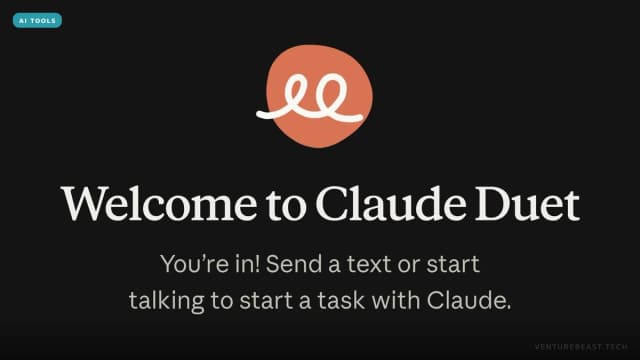

Comments (0)
No comments yet. Be the first to share your thoughts!