This article may contain affiliate links. We may earn a small commission at no extra cost to you if you make a purchase through these links.
Muse vs Muse for Small Business: Same Price, What Changes
Meta added business connectors to Muse at no extra cost. Here is what Muse for Small Business adds, what it still lacks, and who should use it.
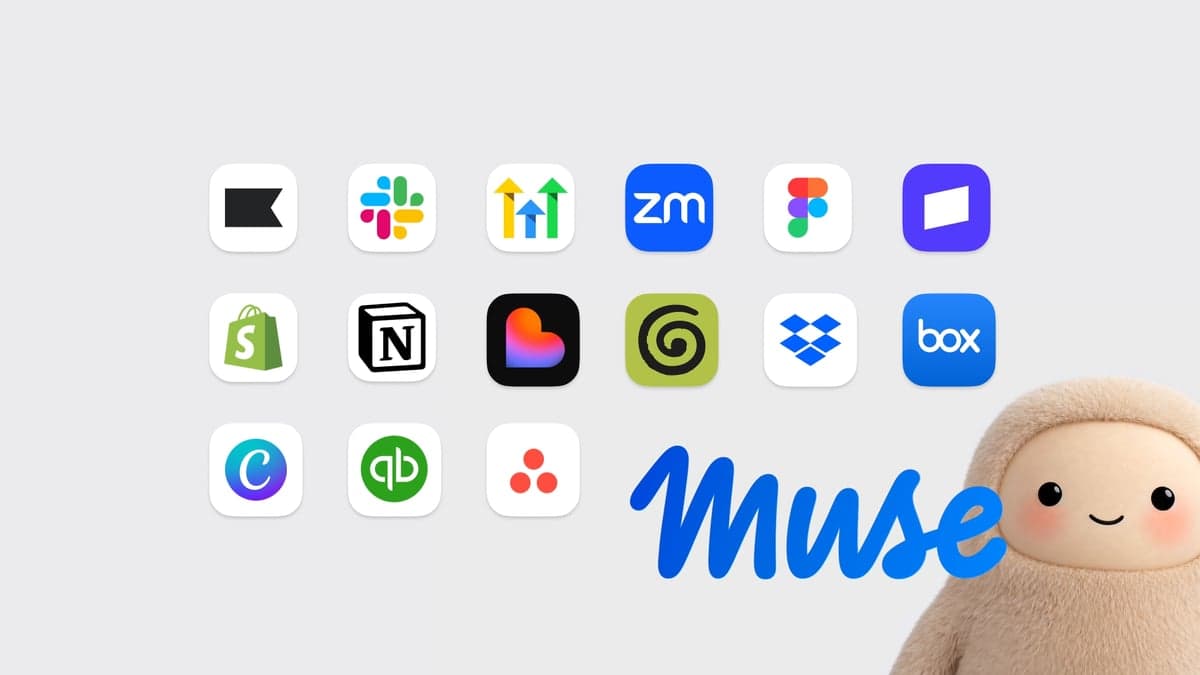
Muse for Small Business is not a separate app or a separate plan. It is the same Meta Muse agent, at the same price, with business connectors and skills added. You don't pay more to use it. What you also don't get is what businesses pay rival AI plans for: team seats, admin controls and a written promise about how your company's data is used.
Meta announced Muse for Small Business on September 29, 2026, three weeks after the consumer launch we covered in our Meta Muse review. This piece answers the questions a business owner actually has: what changes, what it costs, and whether to switch.
What is Muse for Small Business?
As of October 2026, Muse for Small Business is a set of new skills and connectors inside the existing Muse app, available in the US and Canada. Meta's announcement describes an agent that can flag emails that need a reply and draft responses, analyse sales, campaigns and social media performance, build growth plans from that data, spot unusual expenses, and draft content and ad campaigns. An Ideas tab suggests more ways to use it.
Meta says small businesses told it they're "short on hours, not ideas." The bet is that an agent with access to the whole business (the storefront, the books, the inbox and the ad account) is more useful than a chatbot you paste numbers into.
Muse vs Muse for Small Business: what's different?
| Feature | Muse (personal) | Muse for Small Business |
|---|---|---|
| App | Muse on web, iOS, Android and WhatsApp | The same Muse app, with business features added |
| Price | Free; Power $20/mo; Maximum $100/mo | The same. Meta named no new price. |
| Usage allowance | 100M / 500M / 3B Muse tokens a week | The same allowance, shared with personal use |
| Countries | US and Canada | US and Canada |
| Meta connectors | None for business assets | Facebook Pages, Instagram professional accounts, Meta ad accounts |
| Third-party connectors | Shopping and life apps (Stripe, Shopify, Walmart, Expedia, Instacart, Notion, GitHub) | Adds Asana, Box, Canva, Dropbox, Figma, Granola, HighLevel, QuickBooks, Klaviyo, Lovable, Slack, Zoom, plus store management in Shopify and Stripe |
| Approvals | Asks before purchases and sending | "Nothing publishes, sends, or spends without your approval" |
| Team seats and admin | No | None announced |
| Business data-use terms | Training on by default; opt out in Data Controls | Not stated in the announcement |
The short version: the price and the app stay the same, and the connectors are what's new. Shopify is the clearest example. A consumer can already shop Shopify stores through Muse. The business connector lets a store owner run their own store.
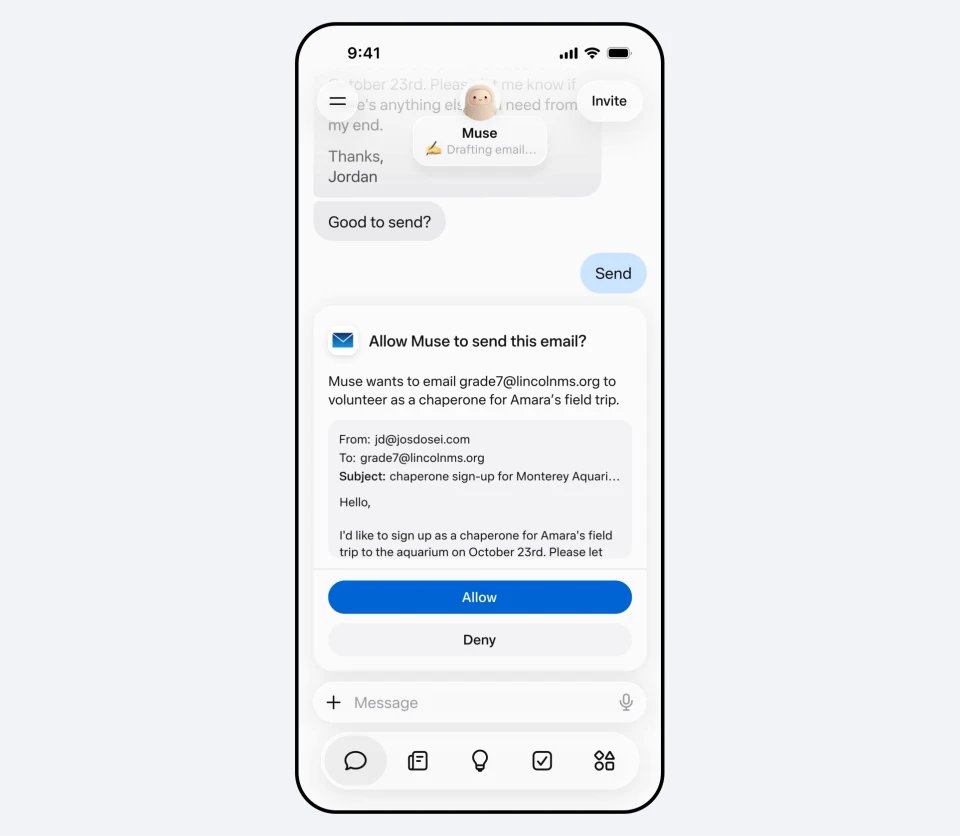
Does Muse for Small Business cost more?
No. Meta's announcement says Muse is "free for most of what people need," with subscription plans for heavier use, and it names no business-specific price. That means the same three plans as the consumer app:
- Free: 100 million Muse tokens a week (a credit card is required at signup)
- Power: $20 a month for 500 million tokens a week
- Maximum: $100 a month for 3 billion tokens a week
Two costs sit outside Meta's price. Your other software keeps its own fees: Shopify says there's "no extra Shopify fee for using the connector," but standard plan pricing still applies. And because the allowance is shared, an agent analysing a month of QuickBooks data uses the same tokens as your personal errands. If you use Muse for both, expect to hit the free cap sooner.
For comparison, business plans from OpenAI, Anthropic, Google and Microsoft are priced per seat, per month. Muse is priced per person, which is cheaper for a solo owner. It also means there's nothing to share with an employee.
What can the business connectors actually do?
Meta lists 15 partner connectors at launch, plus custom connectors for tools that aren't on the list (partners apply at muse.ai/platform). The most detailed public documentation comes from Shopify, whose help page for the Muse connector sets out exactly what the agent can touch:
- Can do: create and update products, collections and inventory counts; create percentage-off discount codes; list recent orders (up to 50 at a time); search customer records; answer analytics questions about sales, orders and fulfillment.
- Blocked, even if you approve it: refunds, cancelling or capturing orders, marking orders as paid, processing returns, gift cards, editing the live theme, and changing store settings such as payments, taxes and domains.
That split is sensible. The agent can do the tedious catalogue and reporting work, and it can't touch money or the storefront's design. Write access needs its own approval on top of read access, and it follows the permissions of the staff account you connect. Expect other partners to draw similar lines, but only Shopify has published them so far.
What's missing for a business?
Three things that rival business plans treat as standard aren't in Meta's announcement.
Team seats and admin controls
Muse is one person's agent. There's no announced way to add an employee, share connectors across a team, or let an owner see and revoke what staff have connected. For a solo founder that doesn't matter. For a shop with three employees, it means each person needs their own account and their own connections.
A business data-use promise
The consumer policy is the only one Meta has published: conversations train Meta's models unless you opt out under Data Controls. A Meta spokesperson told Retail Dive that Muse "does not collect password or payment information, and doesn't share virtual machine data with Meta's advertising systems." That's a useful commitment about ads. It is not a statement about whether customer records pulled from Shopify or QuickBooks can be used for training. Business plans from OpenAI, Anthropic, Google and Microsoft all say business data isn't used for training by default.
A contract
There's no announced data processing agreement, the document a business signs so that a vendor handles customer data on its behalf under defined rules. If you handle customer data under GDPR, CCPA or a client contract, that gap matters more than any feature.
Is a Meta enterprise version coming?
Yes, separately. On September 28, the day before the small business launch, Meta announced the Meta Enterprise Platform and hired MongoDB CEO CJ Desai to run it, The Next Web reported. Desai reports to Mark Zuckerberg, and the platform is set to include a Muse agent, a business agent and a coding tool. No pricing or launch date has been published.
That makes three tiers in practice: personal Muse, Muse for Small Business inside the same app, and a still-unpriced enterprise product. The admin controls and contracts missing from the small business tier are the kind of thing an enterprise platform is built to sell, so don't expect them to appear in the free app.
Meta is widening Muse in other directions too. A few days after the business launch it open-sourced the firmware for home-built Muse hardware, covered in our Muse Gadgets explainer.
Should you use Muse for Small Business?
Our take, as of October 2026:
- Try it if you run the business alone, your tools are on Meta's list (Shopify, QuickBooks, Instagram, Meta ads), and most of your data is already on Meta's platforms anyway. The free tier costs nothing to test, and the Shopify limits show sensible guardrails.
- Wait if you have employees who need access, or you hold customer data under a contract or privacy law. Without seats, admin controls or written data terms, a per-seat plan from a rival is the safer buy. Our roundup of personal AI agents covers what OpenAI, Google and Anthropic offer.
- Either way: turn off training under Data Controls, connect the fewest accounts that do the job, and grant read access before write access.
Muse for Small Business is a smart distribution move: Meta already hosts the Pages, Instagram accounts and ad accounts of millions of small businesses, and it now offers an agent that can act on all of them for no extra charge. The product is ahead of the paperwork. Until Meta publishes business data terms, treat it as a capable assistant for a one-person business, not a system of record for a company.
Frequently Asked Questions
Is Muse for Small Business a separate app?
No. It's a set of business skills and connectors inside the existing Muse app. You connect your business accounts, such as a Facebook Page, an Instagram professional account, a Meta ad account, Shopify or QuickBooks, and the same agent can then work with them. As of October 2026 it's available in the US and Canada.
How much does Muse for Small Business cost?
Nothing extra. Meta named no business-specific price, so it follows the consumer plans: Free with 100 million Muse tokens a week, Power at $20 a month and Maximum at $100 a month. Connected tools like Shopify keep their own plan fees, and Shopify says the connector itself carries no extra Shopify charge.
Can my employees use my Muse for Small Business account?
Not as a team. Meta hasn't announced team seats, shared workspaces or admin controls, so Muse remains one person's agent. Each employee would need their own Muse account and their own connections. Meta's separately announced enterprise platform is the more likely home for team features, but it has no published pricing or date.
Does Meta train AI on my business data in Muse?
Meta hasn't said for business data specifically. The published consumer policy is that Muse conversations train Meta's models unless you opt out in Data Controls. Meta says Muse doesn't collect passwords or payment details and doesn't share its virtual machine data with ad systems. Opt out of training before connecting business accounts.
Can Muse issue refunds or cancel Shopify orders?
No. Shopify's documentation says a connected AI tool can't issue refunds, cancel or capture orders, mark orders as paid, process returns or manage gift cards, even when you approve write access. It can manage products, collections, inventory and discount codes, and read orders, customers and sales analytics.
Enjoying this article?
Get more strategic intelligence delivered to your inbox weekly.
Enjoyed this article?
VentureBeast.Tech is independent and reader-supported. If this saved you time, you can buy us a coffee — it keeps the research deep and the site ad-light.
Support us on Ko-fi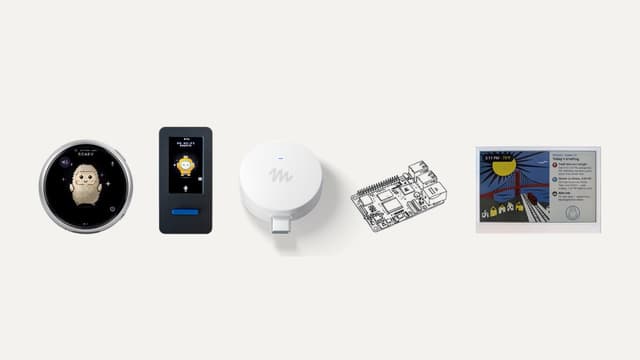


Comments (0)
No comments yet. Be the first to share your thoughts!