This article may contain affiliate links. We may earn a small commission at no extra cost to you if you make a purchase through these links.
Meta Open-Sources Muse Gadgets: Build Your Own AI Agent Device
Meta open-sourced Muse Gadgets, firmware and SDKs for building ESP32 and Raspberry Pi devices for its Muse agent. The catch: you cannot sell them.
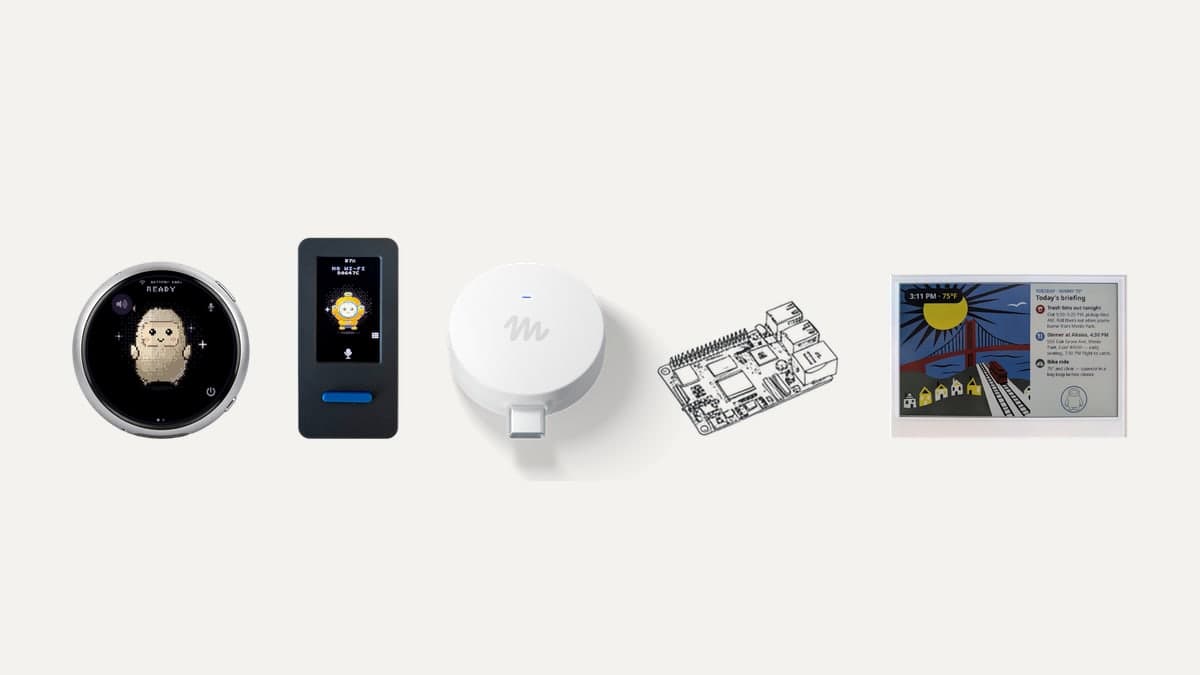
Meta has open-sourced the firmware and device SDKs for Muse Gadgets, so anyone can turn an ESP32 board or a Raspberry Pi into hardware that talks to Meta's Muse agent. The code is Apache 2.0, free to read, fork and change. The part that makes a gadget work is not open: every device needs a Meta-issued token, and its terms forbid selling what you build.
That split, open hardware code with a closed service behind it, is the most important thing to understand about the October 2, 2026 launch. It also tells you what Meta wants from it: a community of hobbyists building the devices Muse can reach, without a hardware market it doesn't control.
What did Meta release?
Meta published the muse-gadget-sdk repository on GitHub under the facebookincubator organisation on October 2. It had more than 900 GitHub stars by October 3. Nat Friedman, head of product at Meta Superintelligence Labs, announced it on X and described it as a side project. The README's own pitch is "built by hackers, for hackers, just for fun," with a warning that "side effects of tinkering may include bricked boards, voided warranties, brownouts, or bankruptcies."
The repository has three parts:
- ESP32 Device SDK: firmware for ESP32 microcontroller boards, with optional screens, audio and sensors.
- Linux Device SDK: a service that turns a Raspberry Pi or other Linux computer into a Muse gadget that can run commands.
- Community device skills: 43 Markdown instruction files that teach Muse how to control specific smart home devices.
Alongside the code, Meta announced its own gadget, Muse Home Link, covered below. Muse itself is the cloud agent we reviewed in our Meta Muse review, running on the Muse Spark model.
What can you build with the ESP32 SDK?
As of October 2026, the ESP32 firmware supports 17 boards out of the box. The simplest, the ESP32-C5 DevKitC-1, shows its status on a built-in light and uses its BOOT button to confirm pairing. Eleven boards (including the Waveshare round AMOLED displays, the M5Stack StickS3 and CoreS3, Espressif's ESP32-S3-BOX-3 and Seeed's SenseCAP Watcher) run a full on-screen interface: an animated avatar, push-to-talk and settings. Others show status on e-paper displays or, in the case of the Home Assistant Voice Preview Edition, an LED ring with a volume dial.
On boards with enough memory (PSRAM), the firmware opens a home-network tunnel, so Muse can reach "the devices you already own and anything you build with a local HTTP API." Boards without PSRAM, such as the classic ESP32 and the ESP32-C6, skip the tunnel but can still be controlled by Muse.
Setup follows a familiar maker workflow, with one twist:
- Get an SDK token from gadgets.muse.ai (Account > SDK tokens).
- Build and flash the firmware with Espressif's ESP-IDF, version 6.0.1 only, from macOS or Linux.
- In the Muse app, turn on Settings > Devices > Developer mode and add the device, which appears as "MuseGadget-XXXXXX."
- Press the button on the board to confirm. The light turns green when Muse is connected.
The twist is that Meta expects a coding agent to do most of the work. Each directory ships an AGENTS.md file, and the README recommends Muse Code, Meta's coding agent, which you start in the repository and ask to "build this firmware for my ESP32-C5 DevKitC-1 and flash it." Other coding agents that read AGENTS.md work too. Adding a new board is mostly a matter of copying the nearest board's small config file and changing the chip, button pin and flash size.
What does the Linux SDK let Muse do?
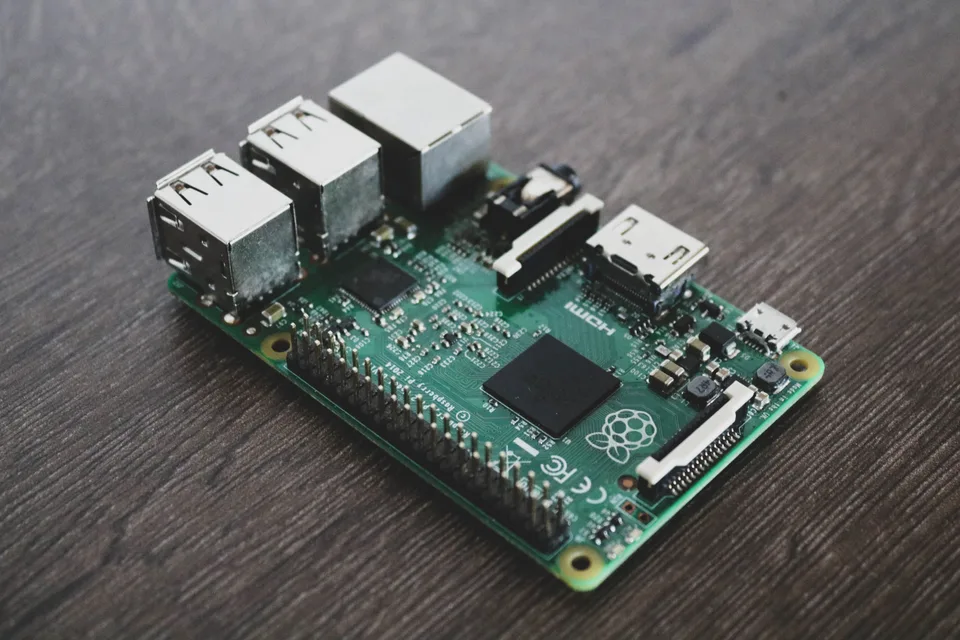
This is the more powerful half, and the riskier one. The Linux SDK runs on a Raspberry Pi 3B+, 4, 5 or Zero 2 W, or any Linux machine with Bluetooth LE running Raspberry Pi OS Bullseye, Debian 11 or Ubuntu 22.04 or later. Once installed and paired, Muse gets four commands:
| Command | What it does |
|---|---|
system.run |
Runs a shell command and returns its output and exit code |
file.read |
Reads a file, 64 KB at a time |
file.write |
Writes a file, 64 KB at a time |
device.health |
Reports uptime, load, memory, disk and temperature |
The README's example prompts show the intent: "What's using all the disk space on my Pi?", "Install Home Assistant on my Pi," and "Every morning at 7, check if my Pi's backups ran." Local programs can also push messages into a Muse chat with musegadget send-user-msg, with no credentials of their own. The included example forwards notes from a Pebble ring through a webhook.
The documentation is blunt about the trade-off: "Muse gets the same access to the machine as the account you install it for." If that account can use sudo, so can Muse. The installer warns you before handing over a sudo-capable account, and install.sh --run-as lets you pick a restricted one. Use it.
What are the community device skills?
The skills folder holds 43 plain-Markdown files, each describing how Muse can control one device over the home network: Sonos speakers, Philips Hue bridges, LG webOS and Samsung Tizen TVs, Google Nest speakers and displays, Apple TV 4K, Roborock and Roomba vacuums, a ratgdo garage door opener, Zigbee2MQTT gateways and more. You install one by giving Muse a link to the repository, or by pasting the skill into a chat.
Meta labels them "not official integrations," and says they "may eventually be made available in the Muse product." In other words, the community does the integration work first, and Meta can fold the useful ones into Muse later.
What is Muse Home Link?
Muse Home Link is Meta's own gadget: in Friedman's words, as quoted by Engadget, "a little usb-c powered device that allows Muse to connect to your home network to talk to smart home devices like TVs and speakers." Meta made 5,000 units. According to gadgets.muse.ai, Home Link is free with an active Muse subscription in the United States, one per subscriber, shipping in October on a first-come, first-served basis.
Two details matter. Meta's wording, an "active Muse subscription," points to the paid Power ($20 a month) or Maximum ($100 a month) plans rather than the free tier. And Home Link does with a finished product what the ESP32 firmware does on a hobby board: it puts Muse inside your home network. It sits alongside Muse Charm, the small companion device Mark Zuckerberg showed at Meta Connect.
Is Muse Gadgets really open source?
The code is. The system isn't. Three limits apply, all from Meta's Gadget SDK Terms:
- You can't sell what you build. Tokens are for personal, non-commercial use. "You may not embed it in any device that you sell for any payment or other consideration," or one you advertise or list on a marketplace. "Any other distribution requires Meta's prior written permission."
- Meta can switch it off. The SDK and tokens "are not a supported product and not a developer platform," and Meta may suspend or withdraw access at any time. A token can link to no more than 50 devices.
- The brain stays in Meta's cloud. Your gadget is a peripheral: the reasoning happens in Muse, on Meta's servers, under Muse's privacy terms. Training on conversations is on by default unless you opt out under Data Controls.
The Apache 2.0 licence means you can take the firmware and point it at something else. Without a token, though, it doesn't talk to Muse. Compare that with OpenClaw, the open-source agent covered in our Muse review, where the agent itself runs on your machine with a model you choose. Muse Gadgets opens the edges and keeps the centre.
There is also a security caveat in Meta's own docs: because these are community devices, pairing "has no manufacturer verification and can't prevent an active man-in-the-middle attack." Pair them on a network you trust.
Why is Meta doing this?
An agent is only as useful as what it can reach. Every major AI company is now building a personal agent, as our roundup of Muse, Dots and Spark shows, and the competition is moving from the model to the accounts and devices the agent can act on. Google has Android and Nest; Apple has the iPhone and HomeKit. Meta has neither a phone platform nor a smart home line of its own.
Muse Gadgets is a cheap way to close that gap. Hobbyists write integrations for TVs, vacuums and garage doors for free, the best ones can become product features, and the non-commercial licence keeps any successful device from turning into someone else's business without Meta's permission. It's the same pattern Meta used with Llama: open enough to build a community, controlled where it counts.
Should you build a Muse gadget?
- Yes, if you tinker. If you already own a supported ESP32 board or a spare Raspberry Pi and use Muse, it's a free weekend project, and asking Muse to manage a home server is a useful party trick.
- Be careful with the Linux SDK. Install it under a dedicated account without sudo, and remember you're giving a cloud agent a shell inside your home network.
- Not if you want to sell hardware. The token terms rule out a commercial product without Meta's written permission. Build on an open stack such as Home Assistant instead.
Muse Gadgets is a genuinely fun release, with good documentation, wide board support and a clever use of coding agents to lower the barrier. Just read it for what it is: an open toolkit for extending a closed agent.
Frequently Asked Questions
What is Muse Gadgets?
Muse Gadgets is Meta's open-source firmware and device SDKs for building hardware that connects to Muse, its personal AI agent. Released on October 2, 2026 under the Apache 2.0 licence, it includes an ESP32 SDK for microcontroller boards, a Linux SDK for Raspberry Pi and similar computers, and 43 community skills for controlling smart home devices.
Is Muse Gadgets free?
The code is free and Apache 2.0 licensed. Using a gadget requires a free SDK token from gadgets.muse.ai and a Muse account. Muse itself has a free tier plus Power ($20 a month) and Maximum ($100 a month) plans. Meta's Muse Home Link device is free only to active Muse subscribers in the US, while its 5,000 units last.
Can I sell a device I build with the Muse Gadget SDK?
No, not without permission. Meta's Gadget SDK Terms limit tokens to personal, non-commercial use and forbid embedding one in a device you sell, advertise or list on a marketplace. Any other distribution requires Meta's prior written permission. The firmware code itself is Apache 2.0, but without a token it can't connect to Muse.
Which boards work with Muse Gadgets?
As of October 2026, the ESP32 firmware supports 17 boards, from the ESP32-C5 DevKitC-1 to Waveshare AMOLED displays, M5Stack devices, Seeed e-paper screens and the Home Assistant Voice Preview Edition. The Linux SDK runs on a Raspberry Pi 3B+, 4, 5 or Zero 2 W, or any Linux computer with Bluetooth LE.
Is it safe to let Muse run commands on my Raspberry Pi?
It's as safe as the account you give it. Muse runs commands with exactly that account's permissions, including sudo if the account has it. Install it with a restricted account using the --run-as option, pair on a trusted network, and keep important data off that machine. Meta's docs warn that pairing can't prevent a man-in-the-middle attack.
Enjoying this article?
Get more strategic intelligence delivered to your inbox weekly.
Enjoyed this article?
VentureBeast.Tech is independent and reader-supported. If this saved you time, you can buy us a coffee — it keeps the research deep and the site ad-light.
Support us on Ko-fi


Comments (0)
No comments yet. Be the first to share your thoughts!