This article may contain affiliate links. We may earn a small commission at no extra cost to you if you make a purchase through these links.
Screen-Time Tools 2026: Opal, Brick, ScreenZen, Freedom
Opal schedules Focus Sessions. Brick uses a hardware NFC tag. ScreenZen adds breathing-screen friction. Freedom covers every device. Pick by failure pattern.
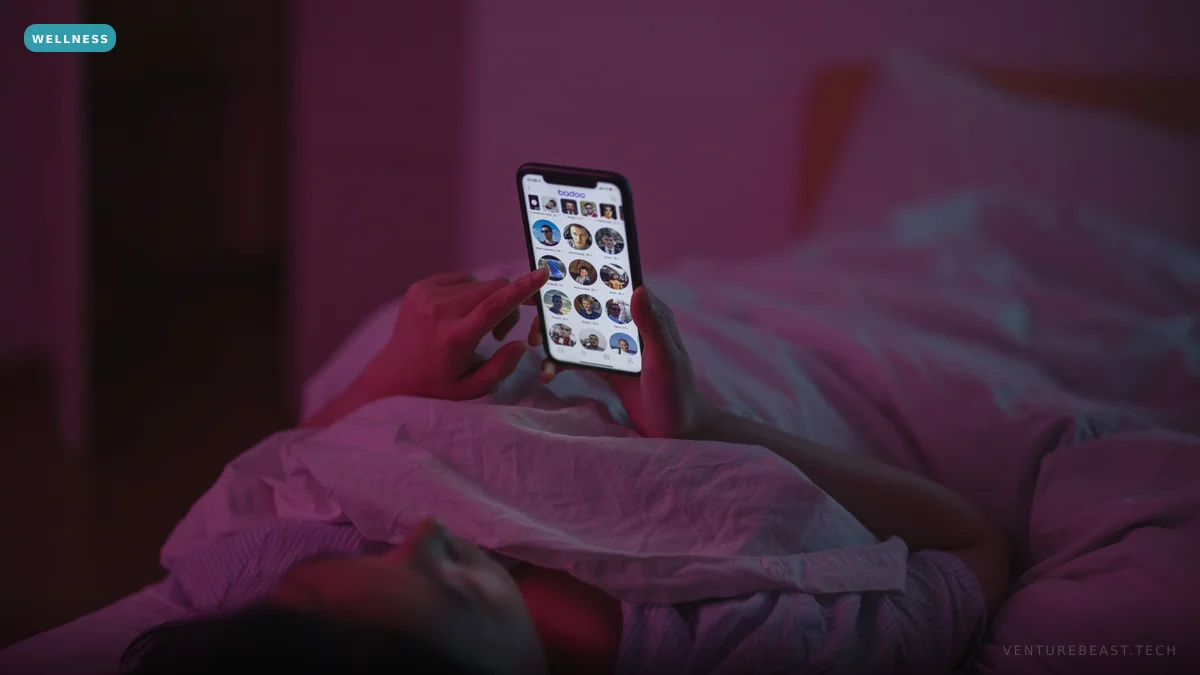
Screen-time blocker apps in 2026 split into four product approaches, each with a different theory of why users can't put their phone down. Opal ($59.99/year, iPhone-only) bets on scheduled Focus Sessions with intentional friction. Brick (free, iOS + Android) bets on physical hardware — a wireless NFC tag you tap your phone to to lock and unlock distracting apps. ScreenZen (free, iOS + Android) bets on micro-friction breathing screens before each distraction. Freedom ($39.96/year) bets on cross-platform blocking — phone, tablet, laptop, all from one subscription. The common diagnosis is right; the cures differ meaningfully in effectiveness.
The behavioral evidence is consistent on what works. Distraction friction (anything that breaks the autopilot of unlocking phone → opening app → scrolling) reduces total usage by 30–60% in published studies. Pure willpower fails for most users; the apps that succeed introduce friction that makes the user pause and ask "do I actually want to do this right now?" before resuming the behavior. The 2026 product category has matured into four credible bets on what that friction should look like.
The four approaches compared
| Tool | Mechanism | Platform coverage | Cost |
|---|---|---|---|
| Opal | Scheduled Focus Sessions with deep iOS Screen Time integration | iOS only | $59.99/year (free tier limited) |
| Brick | Physical NFC tag — tap phone to lock/unlock blocked apps | iOS + Android, $59 hardware | Free app + $59 hardware |
| ScreenZen | Breathing screens (forced 5–30 second delay) before opening blocked apps | iOS + Android | Free |
| Freedom | Cross-platform blocking sessions (phone + laptop simultaneously) | iOS, Android, Mac, Windows, Chrome | $39.96/year |
The product strengths split cleanly along the user behavior they target. Opal is the strongest for users who can commit to scheduled work windows but need accountability when they're in those windows. ScreenZen is the strongest for users who want to reduce — not eliminate — usage; the breathing screen creates a moment of reflection rather than full blocking. Brick is the strongest for users who genuinely can't trust themselves with the phone (the hardware NFC means there's no software-only escape). Freedom is the strongest for users whose distractions are cross-device — opening Twitter on the laptop because the phone is blocked is a real pattern that Freedom uniquely addresses.

The mechanisms — what actually causes usage reduction
Three behavioral mechanisms produce reliable usage reduction across the published evidence:
- Friction increases. Any delay between intention to open an app and actually opening it reduces usage. ScreenZen's 5–30 second breathing screen, Opal's Focus Session unlock-confirmation flow, and Brick's NFC tap requirement all exploit this. Even a 5-second forced pause reduces opening rate by 25–40% in published studies.
- Pre-commitment with social or financial stakes. Opal's "Don't Break the Chain" streak tracking and Freedom's session-lockdown (you can't cancel mid-session without going through significant friction) leverage commitment-device psychology. Users who set up the constraint in a high-motivation moment have a harder time circumventing it in a low-motivation moment.
- Cross-device coverage. Single-device blocking solves the phone problem but creates the laptop-Twitter problem. The "leaks" — opening blocked apps via a different device or browser — undermine the entire intervention for many users. Freedom is currently the only mainstream product addressing this comprehensively.
What doesn't work — and why
Native iOS Screen Time and Android Digital Wellbeing both ship comprehensive screen-time limits and app blockers. The features are functional. The reason most users don't get usage reduction from the native tools: the limits are too easy to override. iOS allows a one-tap "Ignore Limit For Today" workflow that defeats the entire intervention. Most users with serious phone-overuse issues blow through native limits within hours of setting them.
The third-party apps succeed because they make the override harder. Opal's "block override" requires multiple confirmation taps and a timeout. Brick requires physical proximity to the NFC tag. ScreenZen requires the breathing screen even on override. The slight increase in override friction is the difference between an intervention that works and one that doesn't.
The hidden cost — children, family, and corporate use
Screen-time tools are not just for personal use. Three additional use cases:
- Children and adolescents. Opal, Freedom, and other parental-control variants ship with family-account features. The 2024–25 wave of state-level legislation (notably the New York SAFE for Kids Act and similar bills in Utah, Florida, and California) has raised the bar for what tools parents can rely on. Most parents end up combining one of these apps with a "phone-free time at home" social agreement.
- Corporate productivity. Some enterprise workplaces issue Freedom or RescueTime licenses as part of focus-and-productivity benefits. Adoption is uneven; companies that mandate it produce backlash, companies that offer it voluntarily see modest uptake.
- Recovery from compulsive use. Users in recovery from gambling, pornography, or social-media-related disordered patterns often need stronger commitment-device tools. Brick's physical hardware is genuinely useful here; Freedom's "Locked Mode" (no override possible without password reset wait period) is also appropriate.

The decision tree
- iPhone user, scheduled work focus is the priority: Opal. The Focus Session model with deep iOS Screen Time integration is the most polished iPhone product.
- Strong personal accountability requirement, willing to pay for hardware: Brick. The physical NFC tag removes the software-only escape route entirely.
- Want light intervention without hard blocking: ScreenZen. The breathing-screen friction reduces usage without preventing access entirely. Free, no subscription.
- Cross-device distraction problem (phone + laptop): Freedom. The only mainstream product with credible iOS + Android + Mac + Windows + Chrome coverage from one subscription.
- Parent of an adolescent: Opal Family plan or third-party parental-control tools like Bark or Aura. Combine the app intervention with a household phone-free-time agreement.
The broader wellness-tech context, as covered in our analyses of meditation apps clinically tested and AI mental-health chatbots, is that consumer mental-wellness products are increasingly being recognized as legitimate interventions with measurable behavioral outcomes — not just "wellness theater." Screen-time tools fit in the same category. The science backs the use; the product choice is workflow fit.
The bottom line
Screen-time tools work, but only when the friction they introduce is hard enough to actually slow usage. Opal, Brick, ScreenZen, and Freedom each address a different friction model. Native iOS and Android tools are too easy to override for most users with serious phone-overuse issues. Pick the friction model that matches your specific failure pattern — scheduled work windows (Opal), hardware-required override (Brick), micro-friction breathing screens (ScreenZen), or cross-device coverage (Freedom). The pay-for-it tier and the free tier produce similar outcomes; the decision is on workflow fit, not price.
Frequently Asked Questions
What's the best free screen-time blocker app?
ScreenZen for most users — it ships free with custom schedules, app limits, and the breathing-screen friction model without asking for a paid subscription. Brick has a free app but requires $59 hardware. For users with comprehensive needs (cross-device blocking, family accounts, scheduled sessions), paid options like Opal ($59.99/yr) or Freedom ($39.96/yr) offer features the free tier doesn't.
Does Brick actually work — is the NFC tag worth $59?
For users who genuinely can't trust themselves with phone access during focus periods, yes — the physical-hardware unlock requirement removes the software-only escape route. The behavioral evidence: users with severe phone-overuse patterns benefit from commitment devices that increase the cost of breaking the constraint. Brick's NFC tag adds enough friction that most users don't reach for it casually. For users with mild distraction issues, software-only options (Opal, ScreenZen) deliver most of the benefit at lower cost.
Why doesn't Apple's built-in Screen Time work as well as third-party apps?
iOS Screen Time allows a one-tap "Ignore Limit For Today" override, which most users blow through within hours of setting limits. The third-party tools succeed because they make the override harder — multiple confirmation taps, timeout periods, or physical-hardware requirements. The native tools are functional but too easy to circumvent for users with serious distraction issues.
Does Freedom work on both iPhone and Android in one subscription?
Yes — Freedom is currently the only mainstream blocker with credible coverage across iOS, iPad, Android, Mac, Windows, and Chromebook from a single $39.96/year subscription. The cross-platform coverage is the product's strongest differentiator. For users whose distractions span both phone and laptop (most users in 2026), single-device blockers leave too many escape routes.
How much screen time should I actually aim for?
The published research doesn't support a single optimal screen-time number — the metric that matters is whether your screen time is interfering with sleep, work, in-person relationships, or other valued activities. A common practical target: keep recreational social-media use under 60–90 minutes per day, ensure no screen use in the hour before sleep, and protect at least one phone-free meal or activity per day. The right target is the one you can actually maintain that produces measurable life-quality improvement.
Enjoying this article?
Get more strategic intelligence delivered to your inbox weekly.
Enjoyed this article?
VentureBeast.Tech is independent and reader-supported. If this saved you time, you can buy us a coffee — it keeps the research deep and the site ad-light.
Support us on Ko-fi
Comments (0)
No comments yet. Be the first to share your thoughts!